How to Plan a Web Design Project From Start to Launch
A web design project rarely fails because of color choices or typography. It usually fails much earlier, when the goals are fuzzy, the decision-makers are unclear, the content is late, or the budget is treated like a rough suggestion instead of a boundary. By the time those issues show up on the screen, they are expensive.
That is why planning matters more than most clients expect. Good design is not the first step. Good planning is. If you want a site that looks credible, loads quickly, supports sales, and does not become a six-month headache, the work starts long before anyone opens a design file.
I have seen small businesses spend thousands on attractive websites that never produced leads because nobody defined what a lead should look like. I have also seen modest projects outperform bigger ones because the owner knew exactly what the site needed to do, who would manage it, and what customers needed to see before they would call. The difference was not artistic talent. It was clarity.
If you are preparing for a new build, a redesign, or even your first serious website design for small business, the planning phase will shape everything that follows. Here is how to approach it with fewer surprises and much better odds of a successful launch.
Start with the business goal, not the homepage
Most people begin with visuals. They collect screenshots, talk about fonts, and describe a feeling they want the site to have. That part has value, but it should never lead the project. A website is a business tool. Before discussing layouts, you need to answer a simpler question: what must this site accomplish?
For one company, the goal may be phone calls from local prospects. For another, it may be booked consultations, quote requests, event registrations, online purchases, or job applications. These are not interchangeable. A site built to generate service leads needs a different structure than a site built to support ecommerce. Even two local service businesses can need different flows. A plumber might need emergency call prompts everywhere. A wealth advisor might need trust-building pages, compliance-friendly copy, and softer calls to action.
This is where many web design projects drift. The owner says, “We need a modern website,” which sounds reasonable but means almost nothing in practice. Modern compared to what? Designed for whom? To achieve which action? If the objective is vague, every review meeting becomes subjective. People argue over taste because there is no shared standard for success.
A better starting point is a short project brief written in plain English. It does not need to be formal or polished. It just needs to answer the basics. Who is the site for? What action should visitors take? Which pages are essential? What business problems is the current site causing? What would make the new site worth the web design investment six months after launch?
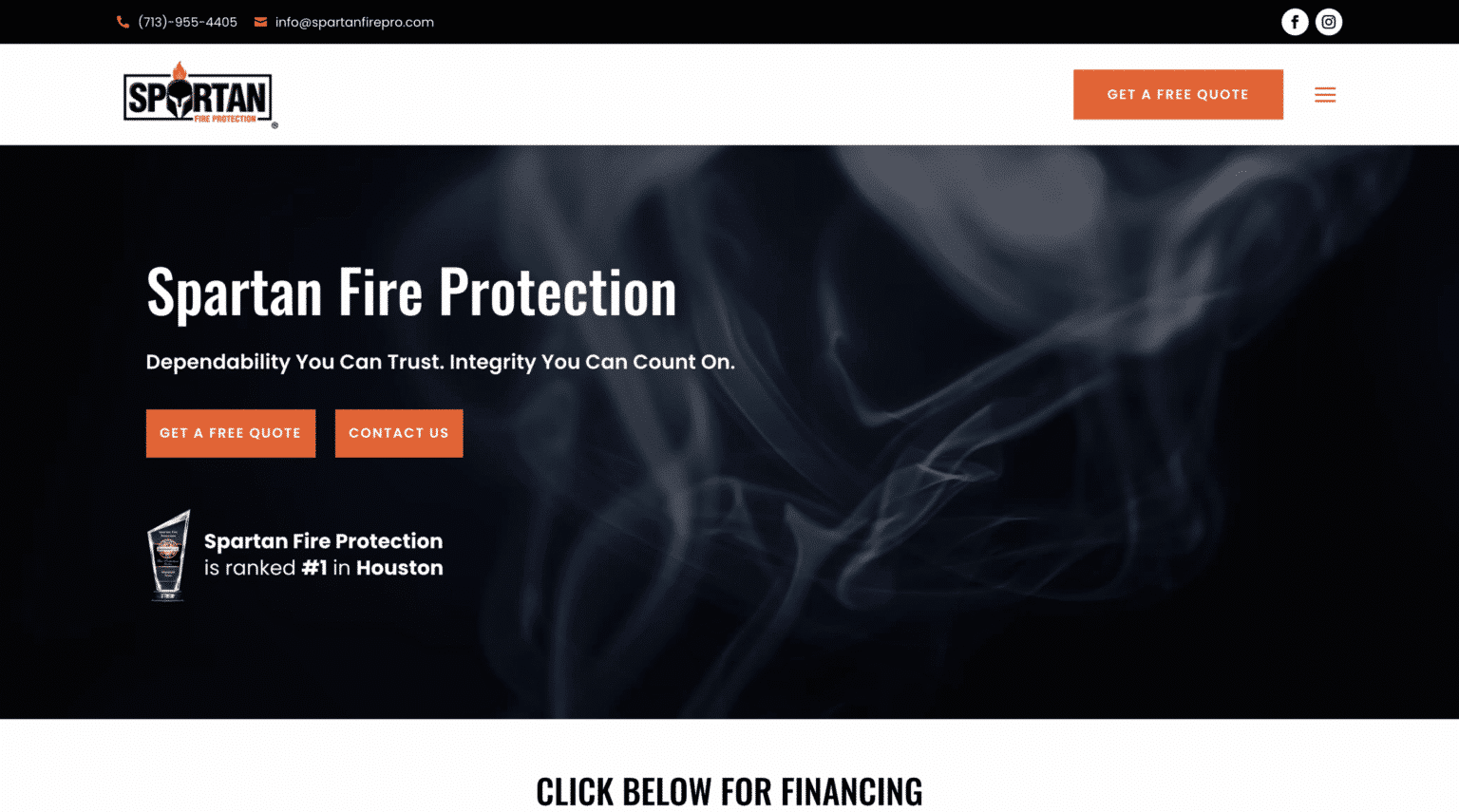
Once those answers are clear, design decisions get easier. You can judge ideas by whether they support the goal, not whether someone “likes” them.
Know your audience closely enough to make useful choices
A lot of businesses claim they know their audience, but what they really know is their customer category. That is not the same thing. “Homeowners,” “parents,” and “small business owners” are too broad to guide a website.
The useful questions are more specific. What is the visitor worried about? What do they need to understand quickly? What objections are likely to stop them from taking action? Are they comparing multiple providers? Do they care more about price, speed, reputation, convenience, or expertise?
A website for a local law firm serving first-time clients often needs plain language, visible trust signals, and a calm explanation of process. A website for a specialized B2B manufacturer may need technical detail, downloadable specifications, and a contact path for buyers who are already educated. Both are examples of web design, but the strategy underneath them is very different.
If you already have customer service emails, sales call notes, or recurring questions from prospects, you have valuable planning material. Those patterns tell you what content belongs on the site. In many cases, the best homepage copy is hiding inside the conversations your staff has every week.
This becomes even more important in local markets. If someone is searching for web design The Woodlands, for example, they are probably not looking for a generic national agency voice. They want signs that the provider understands the pace, expectations, and competitive texture of that area. Geography changes buyer behavior more than many companies admit.
Decide who is actually in charge
Here is one of the fastest ways to derail a project: too many reviewers with equal power and no final decision-maker.
A website involves branding, copy, photography, user experience, technical setup, SEO considerations, and often integrations with forms, booking tools, CRMs, or payment systems. Naturally, several people will want input. Input is healthy. Undefined authority is not.
If three partners each approve content, one office manager handles images, and an outside marketer comments on design after every round, the project slows to a crawl. Worse, the direction starts to wobble. Pages get revised to satisfy internal preferences instead of customer needs.
You need one primary owner on the client side. That person does not have to make every creative decision alone, but they do need authority to resolve conflicts, approve milestones, and keep the process moving. Without that, even a talented design team will struggle.
I once watched a fairly simple five-page site stretch past four months because every revision had to circulate through six people. Nobody wanted to reject anyone’s suggestion, so each draft collected new edits. The final version was acceptable, but it was not better than the second round. It just cost more time and patience.
Set the scope before the design begins
Scope is where budgets live or die. When a business says, “We just need a website,” that can mean anything from a polished brochure site to a custom system with integrations, gated resources, staff profiles, multilingual pages, blog migration, and location landing pages.
The problem is not ambition. The problem is pretending all of those features belong in the same budget and timeline.
Before design starts, define the scope in concrete terms. How many unique page templates are needed? Will the site include a blog? Are there old pages to migrate? Is copy being written from scratch or edited from existing material? Will you need custom photography? Are there third-party tools to integrate? Who enters the content? Does the site need accessibility review beyond the basics? Is local SEO part of the engagement or a separate effort?
When this work is vague, projects expand quietly. A request like “Can we also add team pages?” sounds small. It often is not. Team pages mean bio copy, photos, formatting decisions, page templates, internal linking, and another review cycle. None of that is wrong. It just needs to be acknowledged.
A good scope protects both sides. It helps the client understand what is included, and it helps the design team allocate the right time and skill. If you want flexibility, build that into the plan. Leave room for a second phase instead of forcing every idea into launch one.
Build the site map before the page designs
Many businesses are eager to jump into mockups, but structure should come first. A site map sounds dull, which is probably why people skip it. That is a mistake.
A site map shows what pages the site needs, how they relate to one another, and how a visitor is expected to move through the content. It is one of the clearest ways to reveal whether the project is actually coherent. If your navigation is bloated, if key services are buried, or if there are overlapping pages with no distinct purpose, you want to discover that before visual design starts.
For a typical website design for small business, the early architecture often includes a homepage, about page, service pages, contact page, and perhaps testimonials, FAQs, and a blog. But the exact structure should reflect customer behavior, not habit. Sometimes one strong service page converts better than six thin ones. Sometimes a location page matters more than an elaborate company history. Sometimes a quote form needs to be simplified because too many required fields reduce submissions.
Think of the site map as the floor plan. You would not choose paint colors for a building before deciding where the rooms go.
Content is not a finishing touch
This is where many projects lose momentum. Everyone assumes the content will be quick. Then the deadline gets close and nobody has final copy, approved photos, or a realistic answer to who is responsible for gathering them.
Content should be planned from the start because it influences design, SEO, user trust, and conversion. The amount of text on a service page affects layout decisions. The availability of original photos affects credibility. The quality of headlines affects whether visitors stay long enough to act.
You have three broad options. You can write the content internally, hire a professional copywriter, or collaborate closely with the design team if copy support is included. None is automatically best. What matters is assigning ownership early and setting deadlines that reflect reality.
If you are writing content in-house, be honest about how long approvals take. Owners are usually busy. Subject matter experts are often slower than expected because they know too much and struggle to simplify. Marketing staff may be capable writers but still need facts from operations. Content stalls when everyone is “working on it” and nobody is accountable.
At minimum, plan for these content assets:
- Core page copy with clear calls to action
- Images, whether custom, existing, or licensed
- Brand elements such as logos, fonts, and color standards
- Legal or policy pages where needed
- Proof points, including testimonials, certifications, awards, or case examples
That list may look manageable, and often it is. The real issue is coordination. Testimonials need approval. Photos may need retouching. Bio details change. Service descriptions raise internal debates. If you account for that friction early, the launch date stays believable.
Budget for the full project, not just the design invoice
A website budget should include more than the visible design fee. This is another area where projects get off track, especially for growing small businesses trying to balance speed with cost control.
Your total cost may include strategy, design, development, copywriting, photography, hosting, premium plugins or software, domain management, accessibility improvements, SEO setup, analytics configuration, training, and post-launch support. If ecommerce is involved, payment processor fees and platform costs may matter too.
I often encourage clients to think in two phases: launch costs and operating costs. Launch costs cover the build. Operating costs cover what happens after the site goes live, such as maintenance, backups, security updates, software renewals, and occasional content changes. If nobody budgets for the second category, the website begins aging on day one.
There is also the cost of delay. A business that spends three extra months debating homepage language is not just delaying the project. It may be delaying lead generation, search visibility, and a more credible first impression. That lost momentum is real, even if it does not appear on an invoice.
Cheap websites can be expensive in disguise. If the result is slow, hard to edit, poorly structured, or unsupported, you often pay again within a year or two. The cheapest route is only economical if it meets the business need without creating hidden future work.
Establish a practical timeline with real dependencies
Timelines should reflect how web projects actually move. Design teams do not create delays in a vacuum. Clients do not either. Delays come from dependencies, the points where one task cannot proceed until another is complete.
Wireframes may depend on a final site map. Development may depend on approved designs. Content entry may depend on copy delivery and image selection. Launch may depend on domain access, DNS changes, form testing, analytics setup, legal review, and quality assurance.
A healthy timeline builds in review windows and decision time. It also accounts for vacations, seasonal business peaks, and the fact that feedback often takes longer than expected. If your busiest sales month is October, that may not be the best time to request immediate turnaround on copy approvals.
One of the smartest planning moves is to define milestone dates that have clear owners. If content is due on the 12th, who is responsible? If revision feedback is due by Friday, who consolidates comments? If a third-party vendor must provide access credentials, who follows up? A timeline without named responsibility is just optimism on paper.
Choose a platform that fits your actual needs
Platform selection is not glamorous, but it affects flexibility, maintenance, and future cost. The right choice depends on what the site needs to do and who will manage it after launch.
For many service-based companies, a well-built WordPress site remains a practical option because it offers flexibility and broad support. For some ecommerce businesses, Shopify may be the better fit because it simplifies catalog and transaction management. For very simple sites with minimal customization and a preference for drag-and-drop editing, a hosted website builder can work, though it may impose constraints later.
The mistake is choosing based on trend or sales pressure rather than fit. If your team needs frequent content updates, make sure the editing experience is manageable. If your business depends on landing pages and local SEO, pay attention to how the platform handles page structure, speed, and metadata. If you need custom integrations, confirm them before the build begins, not after design approval.
This is also where local providers can add value. A team offering web design The Woodlands clients, for instance, may already know which features local businesses tend to need most, whether that is appointment scheduling, service area pages, map integration, multilingual support, or easier mobile contact options. Context matters.
Plan the user journey page by page
A website is not just a collection of pages. It is a sequence of decisions. The visitor arrives, scans, evaluates, and either moves forward or leaves. Planning should account for that flow.
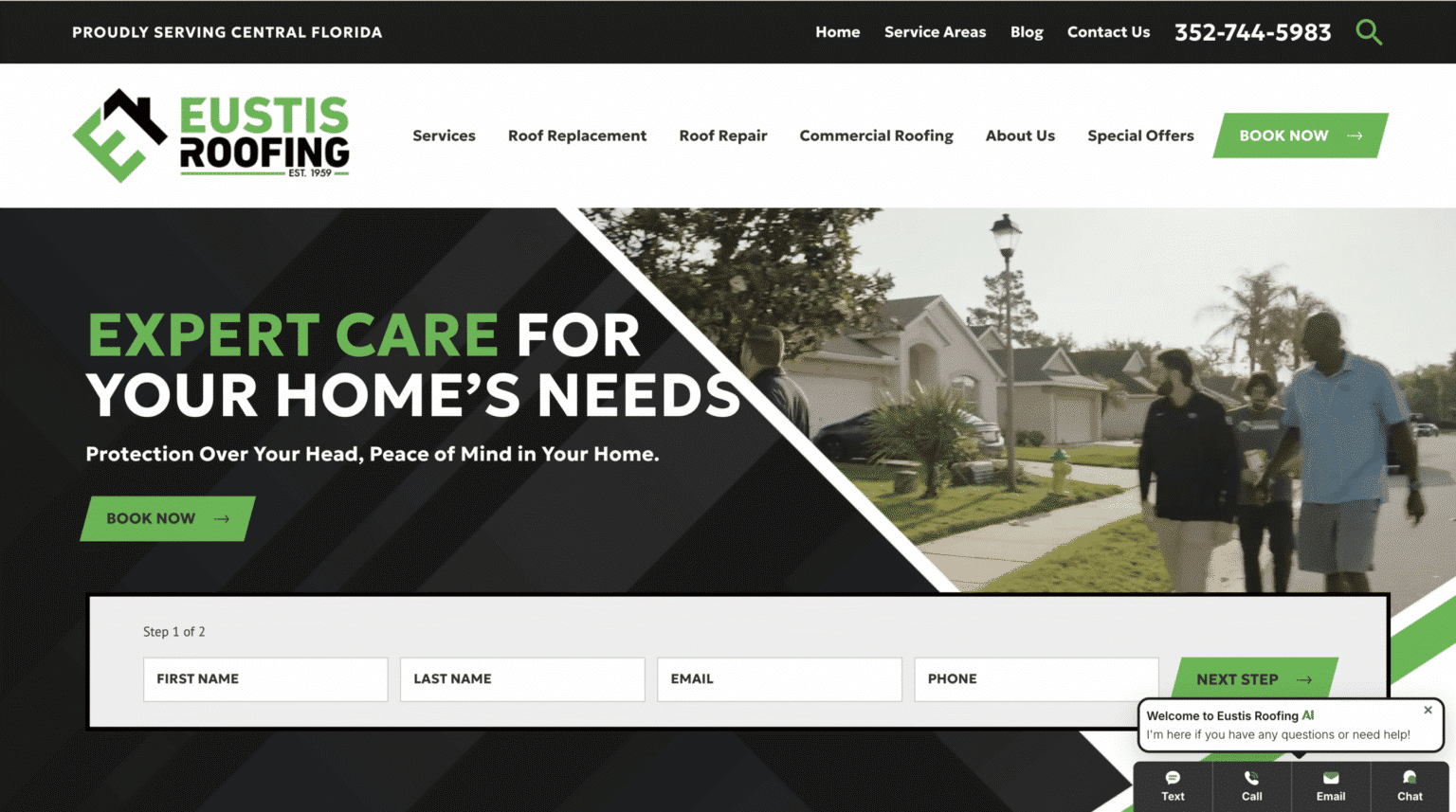
On the homepage, the visitor should understand quickly who you serve, what you offer, and what to do next. Service pages should reduce uncertainty, not create it. Contact pages should make action easy. If forms are too long, if phone numbers are hard to tap on mobile, or if important trust signals appear too low on the page, the site will feel harder to use than it should.
This is where persuasive design earns its keep. A good page does not shove people toward a button. It answers the natural questions that come before the click. Why choose you? What happens next? How long does it take? Do you serve my area? Are you expensive? Have you done this before? Can I trust you with this problem?
Those questions belong in the plan because they shape the content, layout, and calls to action. They are not decorative details added later.
Testing should be scheduled, not assumed
Every team says they will test before launch. Fewer teams reserve enough time to do it properly.
Testing should cover forms, mobile layouts, page speed, browser compatibility, navigation, links, image display, analytics, conversion tracking, basic accessibility checks, and any integrations such as CRM routing or booking confirmations. If you are migrating from an older site, redirects need attention too. Nothing frustrates users and search engines faster than broken links from previously indexed pages.
This work gets rushed when planning is weak. Launch dates sneak up, content arrives late, and testing becomes compressed into a frantic final day. That is when simple mistakes slip through, such as forms that submit but do not email anyone, phone numbers that are not clickable on mobile, or thank-you pages that fail to trigger conversion tracking.
A cleaner process is to treat testing as a formal stage with a checklist, assigned reviewers, and enough breathing room to fix issues without panic.
Launch is a beginning, not a finish line
The first few weeks after launch matter almost as much as the build itself. Traffic patterns reveal what people actually do, not what everyone predicted in planning meetings. Maybe users spend more time on FAQ pages than expected. Maybe one service page drives strong leads while another underperforms. Maybe mobile bounce rate is higher than it should be. These are not signs of failure. They are signals.
A smart launch plan includes monitoring and adjustment. Watch analytics. Test forms again after DNS changes. Confirm indexing. Review heatmaps or session recordings if you use them. Ask sales staff whether lead quality has improved. Track rankings carefully, especially if the old site had existing search visibility.
For a small business, even a few post-launch improvements can make a measurable difference. Tightening a headline, simplifying a form, strengthening a service page, or adding clearer local trust signals can lift conversions meaningfully without rebuilding the whole site.
That is the bigger argument for planning well at the start. It does not guarantee perfection, and no experienced professional would pretend otherwise. But it gives you a site with strong bones, a sensible structure, and a clear purpose. From there, optimization becomes practical. Without that foundation, every change feels like guesswork.
A website should not just exist. It should support the business, reflect how customers actually choose, and be sturdy enough to evolve. If you plan the project with discipline before anyone starts designing, launch day becomes far less dramatic, and far more valuable.
Scalable Websites
Website design for contractors and small businesses
Based in Montgomery, TX, serving Montgomery County and greater Houston
Phone: (832) 979-2478
Website: scalablewebsites.com
Hours: Monday to Friday, 8 AM to 5 PM
Scalable Websites builds and manages mobile-first websites for contractors and small businesses on simple monthly plans, with hosting, security and unlimited updates included. Find us on Google.